1 - What are hooks
Course: Custom Hooks - chapter 1
What are hooks
Section titled “What are hooks”Hooks are a feature introduced in React 16.8 that allow you to use state and other React features without writing a class. They are functions that let you “hook into” React state and lifecycle features from function components.
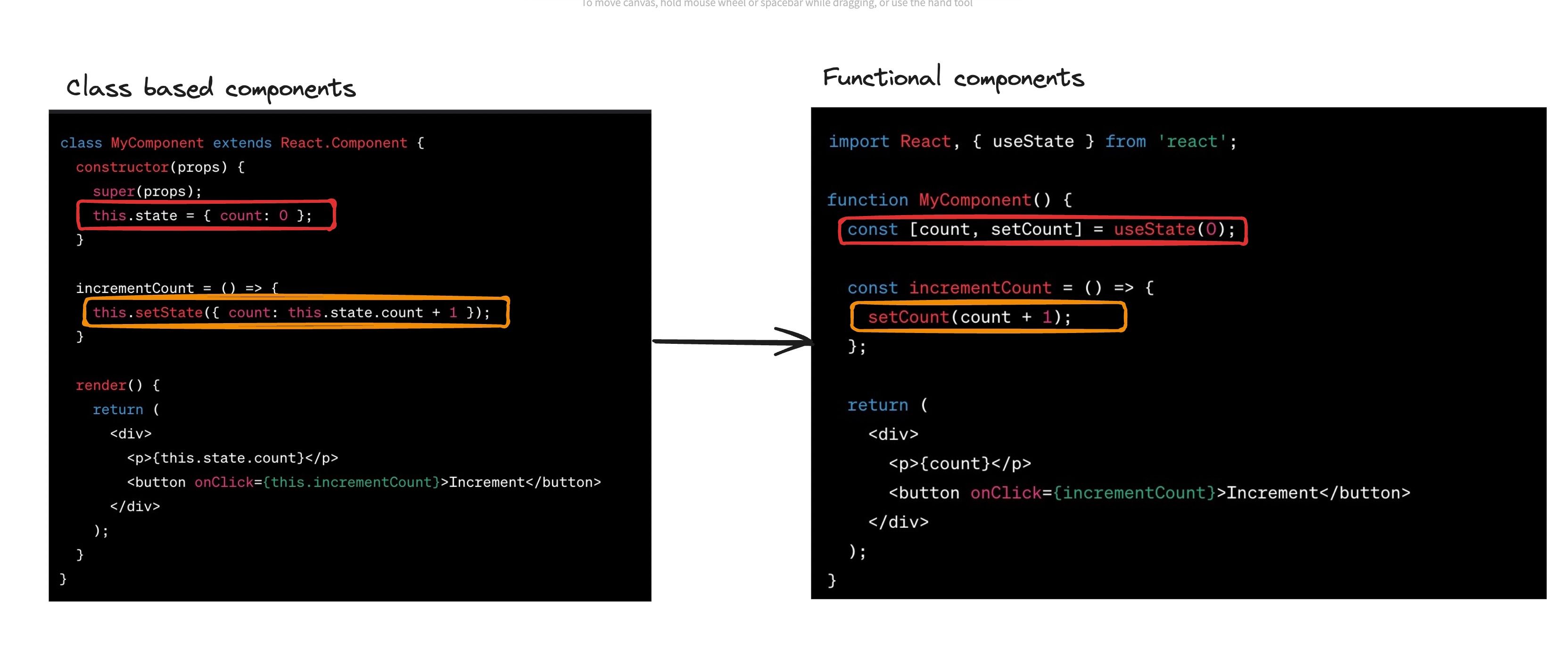
Functional
import React, { useState } from 'react';
function MyComponent() {  const [count, setCount] = useState(0);
  const incrementCount = () => {    setCount(count + 1);  };
  return (    <div>      <p>{count}</p>      <button onClick={incrementCount}>Increment</button>    </div>  );}
Class Based
class MyComponent extends React.Component {  constructor(props) {    super(props);    this.state = { count: 0 };  }
  incrementCount = () => {    this.setState({ count: this.state.count + 1 });  }
  render() {    return (      <div>        <p>{this.state.count}</p>        <button onClick={this.incrementCount}>Increment</button>      </div>    );  }}
Lifecycle events
Section titled “Lifecycle events”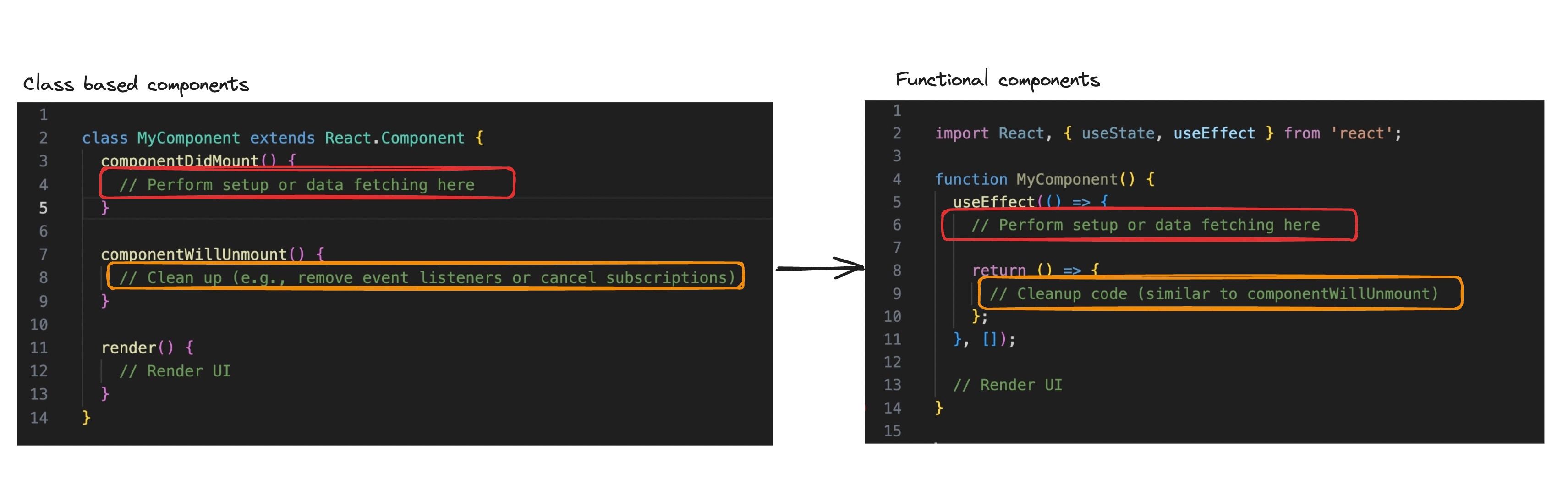
Functional
import React, { useState, useEffect } from 'react';
function MyComponent() {  useEffect(() => {    // Perform setup or data fetching here
    return () => {      // Cleanup code (similar to componentWillUnmount)    };  }, []);
  // Render UI}
Class based
class MyComponent extends React.Component {  componentDidMount() {    // Perform setup or data fetching here  }
  componentWillUnmount() {    // Clean up (e.g., remove event listeners or cancel subscriptions)  }
  render() {    // Render UI  }}
Functional solution
import React, { useEffect, useState } from 'react'import './App.css'
function App() {  const [render, setRender] = useState(true);
  useEffect(() => {    setInterval(() => {      setRender(r => !r);    }, 5000)  }, []);
  return (    <>      {render ? <MyComponent /> : <div></div>}    </>  )}
function MyComponent() {  useEffect(() => {    console.error("component mounted");
    return () => {      console.log("component unmounted");    };  }, []);
  return <div>    From inside my component  </div>}
export default App
Until now we’re seen some commonly used hooks in React-
- useState
- useEffect
- useMemo
- useCallback
These hooks are provided to you by the
Reactlibrary.